The beautiful martial arts fantasy of Where Winds Meet has officially launched, and it’s available globally. This anticipated title gives us huge environments and promises immense freedom for players to collaborate. But is Where Winds Meet crossplay or not? Since we’re all playing on various systems, this critical question arises when setting up adventures. I’m going to clear up every query about this technical feature.
The game sets you among the gorgeous hills of ancient China. It presents a vast, flexible campaign. Players master various fighting systems. They incorporate nearby scenery into flashy, destructive attacks. Your occupation, whether joining a guild or living as a sword for hire, changes your outcome. The map rewards curiosity and searching. Height helps you move through the historical setting.
But moving on to the real point! Is Where Winds Meet crossplay? Time to settle it! I will try to cover other related queries too. Well, the answer is ready for you!
Is Where Winds Meet Crossplay?

Yes, Where Winds Meet supports crossplay at global launch between PC and PlayStation 5. It lets mixed-platform parties play together in the same world. The team also confirmed linked accounts and shared progression across supported platforms.
Where Winds Meet crossplay works across the current launch platforms, and linked accounts make your character follow you between them with a simple sign-in.
- PC Steam: Full release with crossplay enabled and account linking supported via the official site.
- PC Epic Games Store: Same feature set as Steam with crossplay tags listed on store pages.
- PlayStation 5: Matches with PC players and supports linked progress when the same account is used.
Xbox and Nintendo Switch are not part of the global launch lineup, and there is no crossplay pathway for those consoles at this time. If plans change later, expect an official post on the site and social channels with the exact scope and timing.
How to Enable Where Winds Meet Crossplay?
Where Winds Meet crossplay is active by default on supported platforms, though linking your account unlocks cross-progression and makes invites easier. If a friend cannot see your lobby, check the region and version first.
1: Open Where Winds Meet on your device.
2: Select Account from the title or main menu.
3: Link your account (Steam, Epic, or PSN) on the account page.
4: Confirm crossplay is set to ON in Gameplay or Online settings.
5: Set the same server region as your friends.
6: Open Friends or Team panel.
7: Send an invite by ID or accept from notifications.
8: Join the same shard or activity and play together.
That’s it for enabling crossplay if anything was off. Reboot after toggling settings to refresh lobbies if an invite hangs.
Also, read Is Modern Warfare 3 (MW3) Crossplay & Cross-Save Supported? Find Out, RN!
Does Where Winds Meet Support Cross-Save?
Yes! Cross-progression is officially supported across Steam, Epic, the official PC launcher, and PlayStation 5 when you link the same account on each platform. Your character, story flags, and inventory follow your profile, so you can play at a desk, then continue from a console later the same day.
If something fails to sync, confirm the same master account is linked everywhere, then restart and re-enter. Store entitlements still follow each storefront, but progression lives on the unified account.
Is Where Winds Meet Playable Solo or Offline?
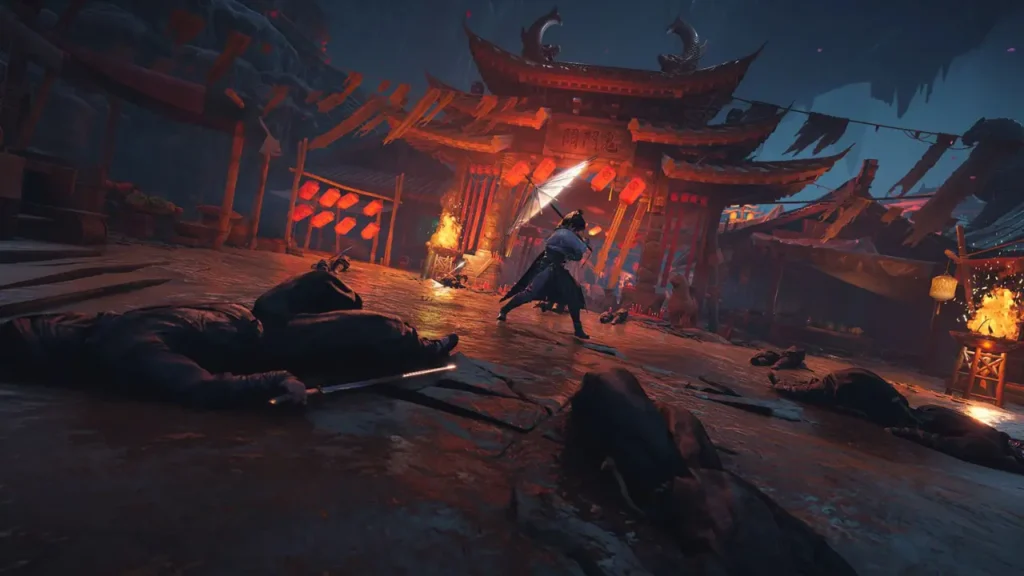
Yes, you can play solo. The open world supports a personal pace with side tales, exploration routes, and duels against roaming masters. The combat system opens up as you learn stance swaps, perfect parries, and aerial routes.
Offline play is not part of the global launch plan. Core systems expect a connection for persistence, social layers, and world states. If your link drops, the game returns you to the menus after the server finalizes your state, then you can rejoin.
Is Where Winds Meet Multiplayer, Co-op, or Split-Screen?
The global release supports online play across activities that include teaming for quests, tackling world bosses, sparring, and social events. You form parties, sync regions, enter instances, and roam the open world together. The game frames this as a shared action RPG space, not a strict instance lobby.
Split-screen is not listed. Local couch features are not part of the current plan. The system’s focus on online sessions is tied to your account layer with platform crossplay and cross-progression support.
Group balance encourages role expression through builds, weapons, and movement styles. Duels favor reads, timing, and clean routes across terrain. Team skirmishes reward spacing and quick stance swaps.
Also, read Is Everybody’s Golf: Hot Shots Crossplay Supported? (Explained)
Wrapping Up
That wraps up everything I could find out about Where Winds Meet crossplay! I hope you find this guide helpful. For more such guides, visit us regularly, and if you don’t find a guide, comment, and I will cover it ASAP. See you soon with updates when new platforms or regions go live.
Frequently Asked Questions
1. Does Where Winds Meet crossplay work between PC stores and PS5?
Yes, PC Steam, PC Epic, the official PC launcher, and PS5 can play together at the global launch.
2. How do I move progress between PC and PS5 in Where Winds Meet?
Link the same account across platforms; your character and progress travel with that profile.
3. Do server regions affect crossplay in Where Winds Meet?
Yes, parties should select the same region to see lobbies faster and reduce latency spikes.
4. Is there crossplay with Xbox or Switch for Where Winds Meet?
No, those consoles are not part of the launch lineup, so crossplay does not include them.
5. Can I use the official PC launcher with Steam friends in Where Winds Meet?
Yes, once linked to the same account layer, you can form parties across supported PC platforms.
6. Does Where Winds Meet support cross-progression from day one?
Yes, the account link enables cross-progression across supported platforms at global launch.